How do financial auditors compare statements without sending files to a vendor?
Compare financial documents in the browser with AlineaDoc. Files are not uploaded to a third-party server for analysis.
Ready to try it? Open the in-browser document comparator (/app). You can start without an account. Files are not uploaded to a third-party server.
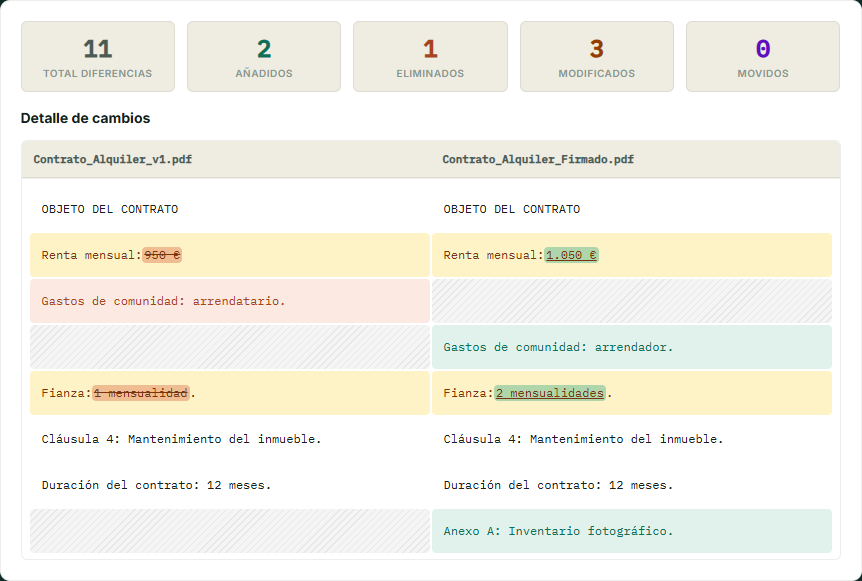
Local diffs for packs that cannot go to a random SaaS
When retention policies or client ISAs restrict vendors, a tab-local diff is the proportionate control. Open /app and keep Network visible if the file is sensitive.
Procurement-style packs are documented for procurement managers.
Frequently asked questions
Does AlineaDoc store financial statements after the diff?
No. Comparison runs with in-browser processing. Files are not uploaded to a third-party server to a comparison server, so there is no vendor copy to retain. You may still keep your own working papers wherever policy already allows.
Can we use this without creating personal accounts?
Yes. It is a free in-browser utility. No sign-up is required to see changes. That avoids a hard paywall during fieldwork. Optional departmental plans exist for export if the team standardizes on AlineaDoc.
What about scanned bank letters?
Image-only PDFs have no text layer. OCR them under your existing control, then compare searchable files. Native exports from accounting systems compare immediately on /app and files are not uploaded to a third-party server during the diff.