How can procurement managers catch price changes before they approve a PO?
Compare purchase orders in AlineaDoc before you approve: files are not uploaded to a third-party server, no sign-up to see unit-price edits.
Ready to try it? Open the in-browser document comparator (/app). You can start without an account. Files are not uploaded to a third-party server.
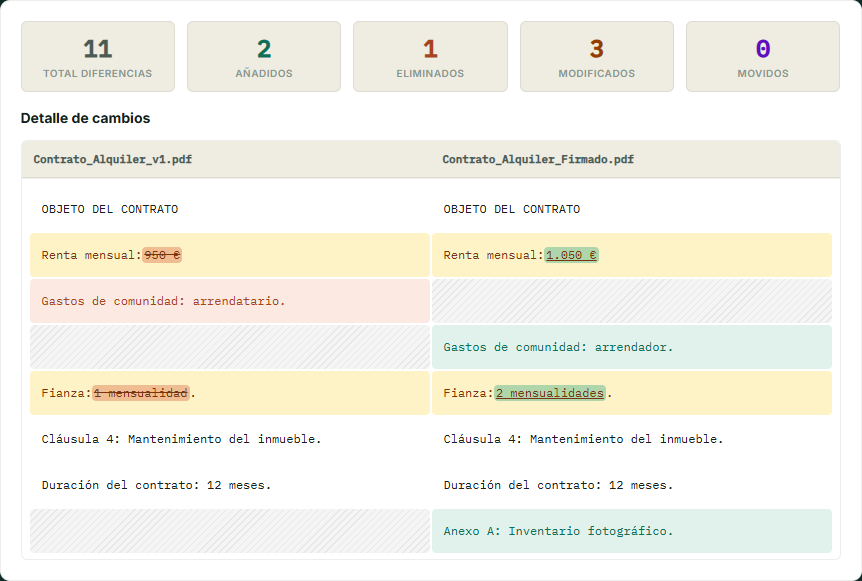
The control that is missing between “approved” and “paid”
Re-sent “updated” quotes often change a unit price or IBAN. Comparing versions locally takes less time than a line-by-line read.
Same habit as financial auditors, with a procurement lens. Start at the comparator.
Frequently asked questions
Can I compare a Word quote with a PDF purchase order?
Yes. Mixed PDF and DOCX are supported. In-browser processing aligns the text in your browser, so files are not uploaded to a third-party server. It is a free in-browser utility; you do not need a credit card to see classified price changes.
Will supplier prices leave our network?
Not for the comparison step. AlineaDoc does not post the document to a comparison API. Watch Network via Verify Privacy / Audit Me on /app if you need to show IT that the payload stayed in the tab.
Is this only for contracts?
No. Quotes, POs, and invoices with a real text layer work the same way. Scanned paper still needs OCR first. Native PDFs compare immediately as a local review, with no hard paywall on the diff itself.