Can you compare a scanned PDF with a digital PDF in the browser?
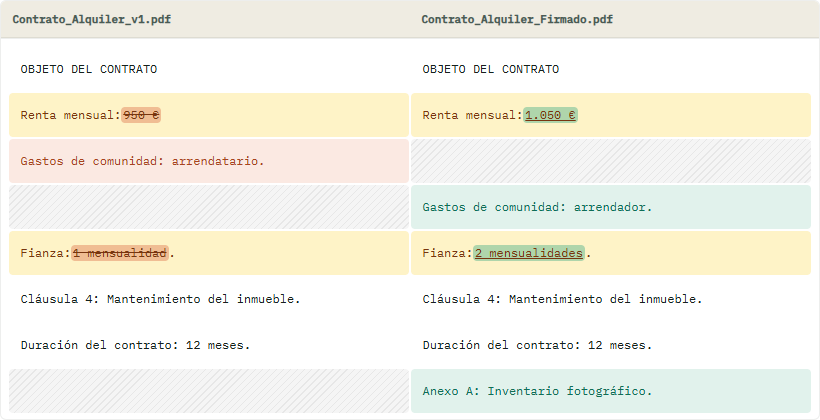
Scanned PDF vs PDF comparison only works when both files contain real text. AlineaDoc diffs native PDFs locally; image-only scans need OCR first.
Ready to try it? Open the in-browser document comparator (/app). You can start without an account. Files are not uploaded to a third-party server.
Honest limit: no magic OCR inside the comparator
AlineaDoc is a local text diff, not an OCR cloud. That is deliberate: sending a scan to an OCR API would break the zero-upload model.
If both files are searchable, compare PDF vs PDF in the browser. If one is a photograph of paper, restore text first.
Frequently asked questions
Why did AlineaDoc say the PDF has no extractable text?
The file is probably a scan or a flattened image. In-browser processing can only align text that already exists in the PDF. Files are not uploaded to a third-party server; the tool cannot invent a text layer without OCR you run yourself.
Can I still keep scans private?
Yes. Choose an OCR path that matches your policy, then compare the searchable result in AlineaDoc. The diff step still runs in the browser with in-browser processing and no comparison-server upload.
What should I ask the other party for?
Ask for the PDF exported from Word or their contract system, not a phone photo. Native PDFs compare cleanly on /app as a free in-browser utility, with no credit card required to see the classified changes.