How should legal teams compare contract versions without uploading them?
Document comparison for legal teams in AlineaDoc stays in the browser: Files are not uploaded to a third-party server, no credit card to run the diff.
Ready to try it? Open the in-browser document comparator (/app). You can start without an account. Files are not uploaded to a third-party server.
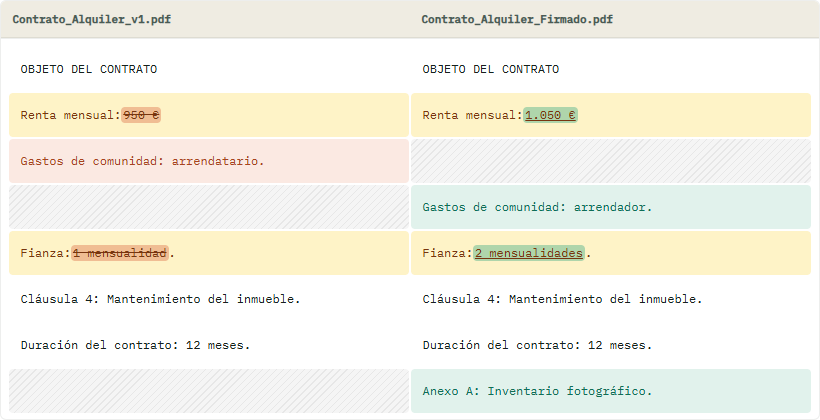
A workflow that matches NDA and privilege hygiene
If policy forbids sending drafts to random SaaS, a local tab is the coherent control. Open secure contract comparison or go straight to the sandbox.
Enterprise redline suites still win for DMS. AlineaDoc wins for “two files, one decision” under time pressure.
Frequently asked questions
Can outside counsel use this without creating accounts for every matter?
Yes. The core diff is a free in-browser utility. No credit card is required. Files stay in the tab with in-browser processing, so files are not uploaded to a third-party server. Accounts are optional when a team wants shared quotas, not to unlock seeing changes.
Does AlineaDoc train models on our contracts?
No generative model reads your document on our servers. Files are not uploaded to a third-party server for the comparison. In-browser processing performs the alignment. You see the classified changes and decide.
How do we verify the architecture?
Use Verify Privacy / Audit Me on /app. Watch Network while the diff runs. Analytics tags are not loaded in that sandbox. You should not see the PDF or DOCX posted to a third-party compare API.